

Use Tresor with Cursor
Add a custom model in Cursor and point its OpenAI-compatible settings at the Tresor API.
Cursor can route its OpenAI-compatible chat requests through Tresor. The working setup is: add a custom model first, then enable the OpenAI API key and base URL rows with your Tresor credentials.
If you value full confidentiality, we don't recommend using Cursor, even with Tresor. Cursor's BYOK docs state that requests using your own API key are still routed through Cursor's servers for final prompt building, and tab completion continues using Cursor's built-in models. So even with Tresor as your inference provider, Cursor will still be able to see the majority of your prompts and completions.For a coding agent that keeps prompts away from the vendor, we recommend GitHub Copilot in VS Code or OpenCode instead. With a custom endpoint, Copilot sends chat prompts and code straight to that endpoint — VS Code's BYOK docs note that BYOK models work without signing in to a GitHub account or having a Copilot plan — and OpenCode can be configured to run fully locally with no telemetry.The Copilot CLI needs one extra step: set
COPILOT_OFFLINE=true to stop the CLI contacting GitHub's servers. GitHub's docs state that without offline mode, telemetry is still sent to GitHub even when you use a custom endpoint.Requests are sent from Cursor's servers, not from your machine. Your Tresor base URL must be publicly reachable — a
localhost or LAN endpoint will not work.Bringing your own API key requires a paid plan that includes third-party models: Premium, Super, or Ultra on the current subscription, or the legacy Pro, Pro+, or Ultra plans. It is not available on Free or Plus.
1. Add a Tresor model
In Cursor, open Settings and click Add Custom Model.
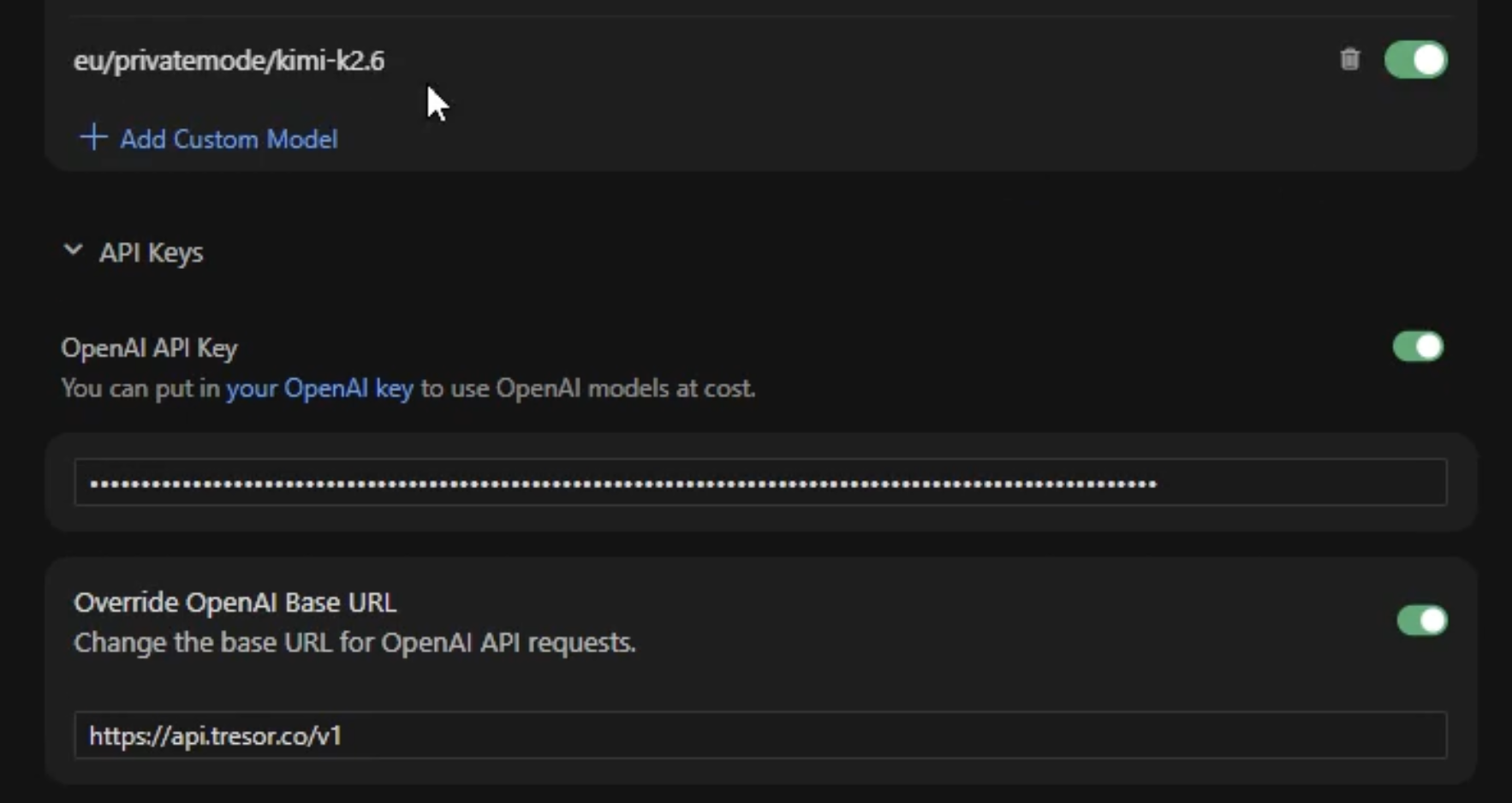
Enter any Tresor model id from the models reference, for example eu/privatemode/gpt-oss-120b, and make sure the switch on that model row is green.
Don't reuse a built-in Cursor model name (for example
gpt-5.5 or kimi-k2.6). Cursor routes reserved names to its own managed models, so your base URL override and API key are silently ignored. Give the custom model a distinct label.2. Enable the OpenAI API key and base URL
In the same settings page, expand API Keys.
- Turn on OpenAI API Key and paste your Tresor API key.
- Turn on Override OpenAI Base URL and enter
https://api.tresor.co/v1. - Make sure both rows stay active.
The base URL override applies to the whole OpenAI family, not per model. Turn it off when you want to switch back to Cursor's own hosted models.
OpenAI API key: tr-...
Override OpenAI Base URL: https://api.tresor.co/v1
3. Select the model in Chat or Agent
Open Cursor Chat or Agent and pick the custom model you just added.
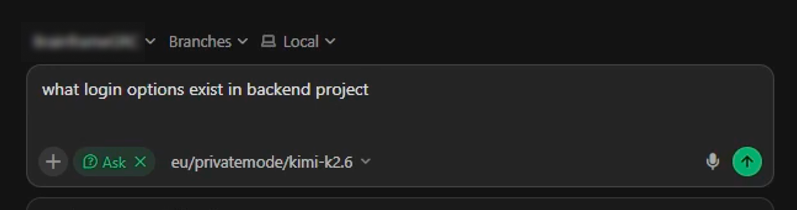
Once selected, Cursor sends that model's OpenAI-compatible chat requests through Tresor. This applies to Agent, Chat, and Edit; Cursor Tab autocomplete always stays on Cursor's own models.